Personal projectMy Pet’s Kit2023
Simplifying Pet Care Management
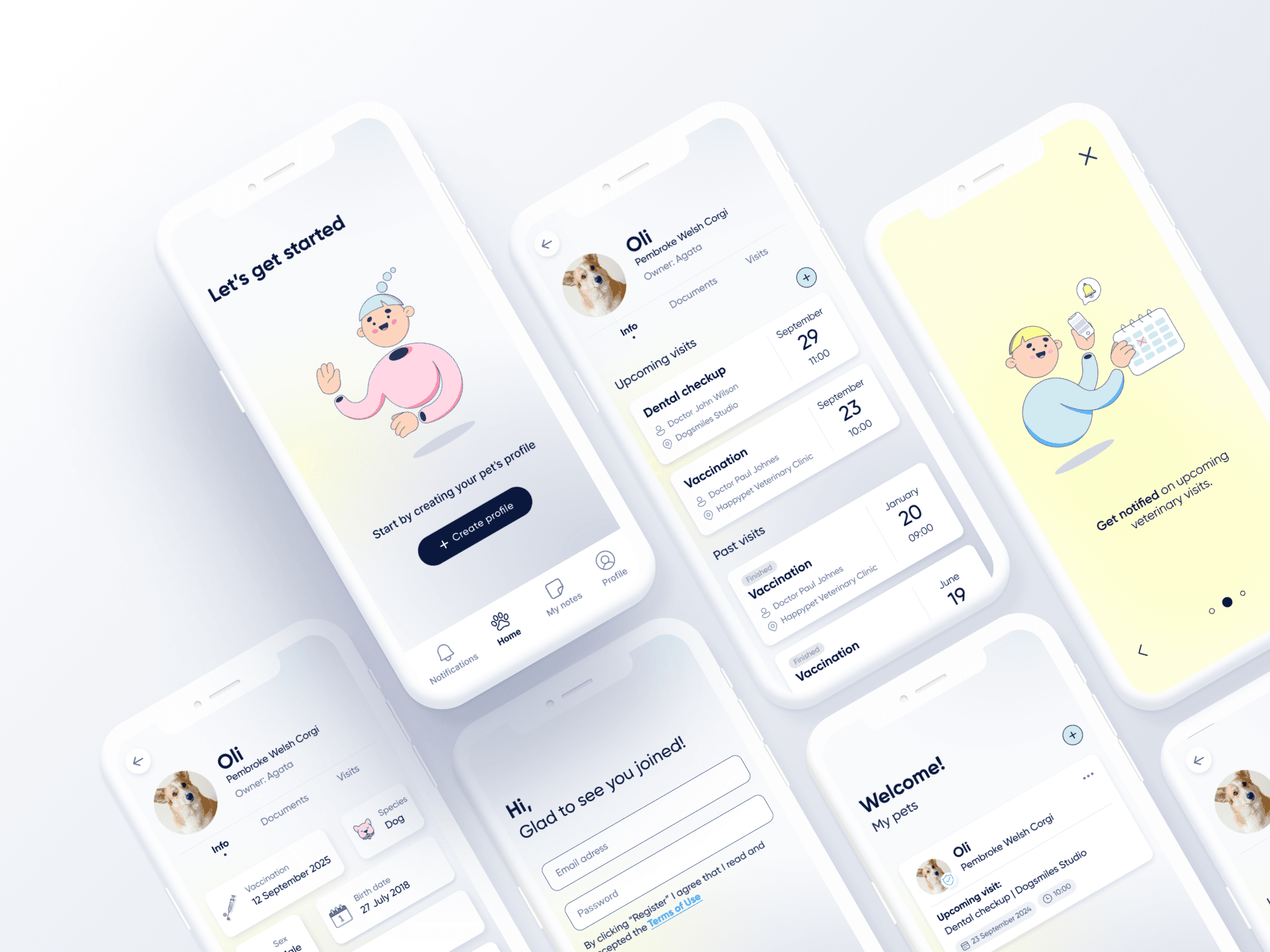
- Timeline
- Jun – Sep 2023
- Role
- UX/UI design — wireframing, illustration, design system, visual design
- Tools
- Figma, Illustrator, Photoshop
TL;DR
My Pet’s Kit helps pet owners organise and access medical records, vaccination certificates and vet notes, making clinic visits and travel easier. Profiles can be shared with family members or close friends.
Challenge
Paper documents don’t work
Many pet owners keep their pets’ medical documents on paper. When travelling, they often forget these documents, making it difficult to prove vaccination status or share important health information with vets.
“It’s frustrating having to remember my dog’s vaccination certificate every time we travel by train.”
“It’s stressful on holiday when something happens and I need a vet. I don’t know my cat’s medical history by heart.”
Solution
A digital document centre
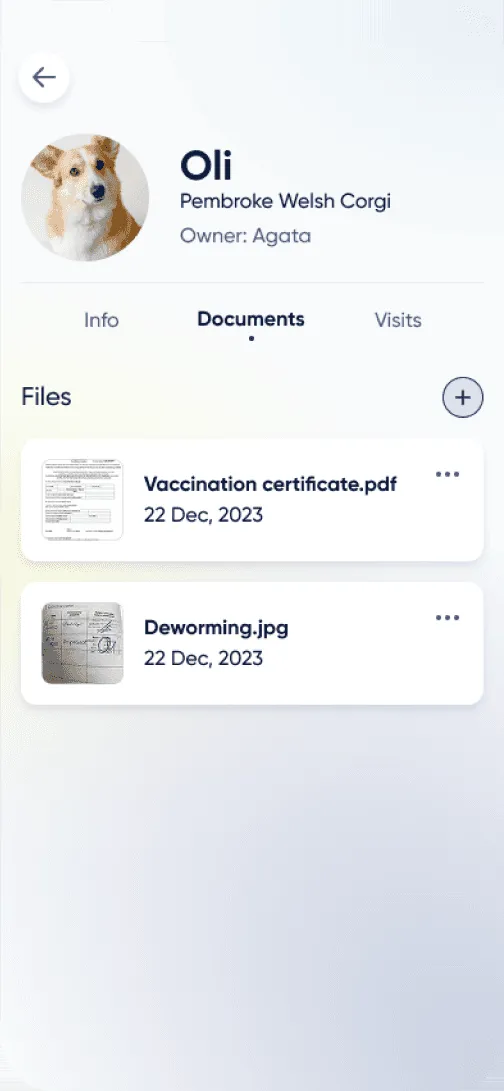
My Pet’s Kit offers a digital solution by letting owners store all veterinary documents in one app. This includes vaccination certificates with dates, chip information and vet recommendations, so critical information is always to hand, even on the go.
01 / 03
Pet profiles
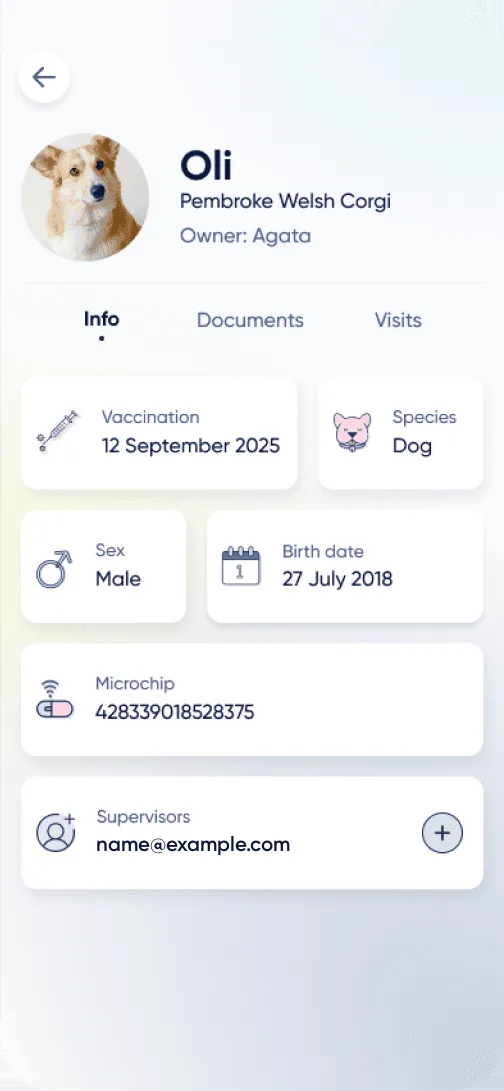
Detailed profiles for each pet: name, breed, age, medical history, vaccinations, owners and photos.
02 / 03
Medical records and history
Diagnoses, treatments, surgeries, lab results, X-rays and prescribed medication, stored securely in one place.
03 / 03
Appointment scheduling
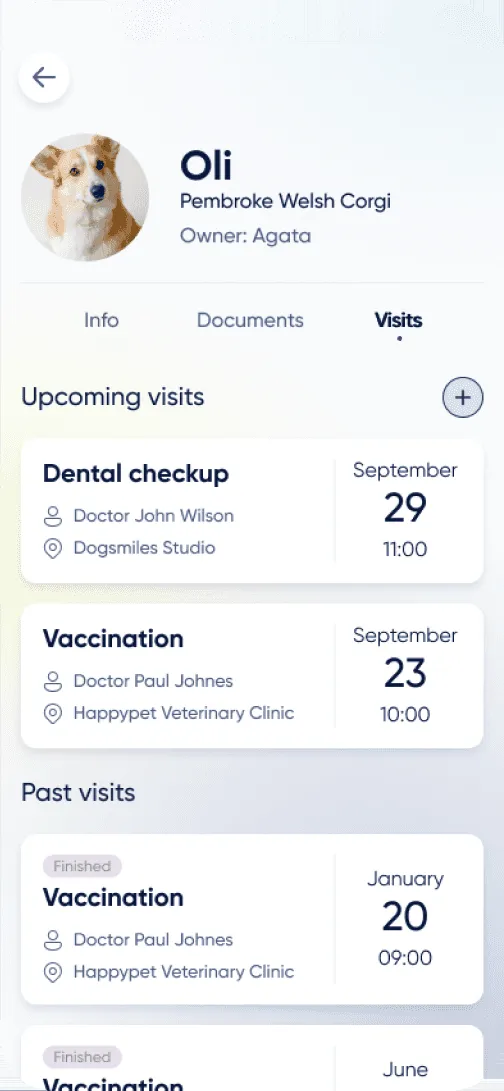
Book check-ups, vaccinations, surgeries and follow-ups, with reminders sent as notifications.
Onboarding
A short introduction before sign-up
I drew all of the illustrations myself. They’re fun, and they help people understand the app at a glance, so onboarding stays easy and short: three quick screens introduce what My Pet’s Kit does (keeping all of a pet’s documents in one place, sharing a pet’s information with family and authorities, and getting notified about upcoming vet visits), and registration then asks only for an email address and a password.
Splash screen
Accessibility
Fixing my own accessibility oversights
The first My Pet’s Kit designs were created two years before the final version. That gave me the chance to revisit my work, correct earlier accessibility oversights and make the app more inclusive and easier to use.
Forms
- 1.4.3 Contrast (Minimum). Text needs a contrast ratio of at least 4.5:1 against its background.
- 1.4.1 Use of Color. Colour can’t be the only way to tell information apart. Links should stand out from body text by more than colour: an underline, a different font weight or extra padding.
Before
2.28:1Fails AA
Text #9BA7C7Background #F9F9FB
- AA normal text fails
- AA large text fails
- AAA normal text fails
After
16.66:1Passes AA
Text #08163BBackground #F8F8FA
- AA normal text passes
- AA large text passes
- AAA normal text passes

Before
Low-contrast text, link marked by colour only

After
Link distinguished by an underline
Welcome page
- 1.4.3 Contrast (Minimum). Text needs a contrast ratio of at least 4.5:1 against its background.
- 1.3.3 Sensory Characteristics. Instructions can’t rely only on shape, colour, size, position, orientation or sound. A symbol like a bell may seem universally recognisable, but to meet WCAG it needs descriptive text.

Before
Pale prompt, icon-only tab bar

After
Text added to the icons